Google Shopping feeds, tied to real sales.
Google Merchant Center product feeds for Magento 2, plus the order data needed to compare Google Ads spend with real sales per product. Map each Google attribute to whatever your catalogue holds, generate on a schedule, and every order that came from an ad click records which click it was.
Set up in 4 steps
- 1
Add a feed
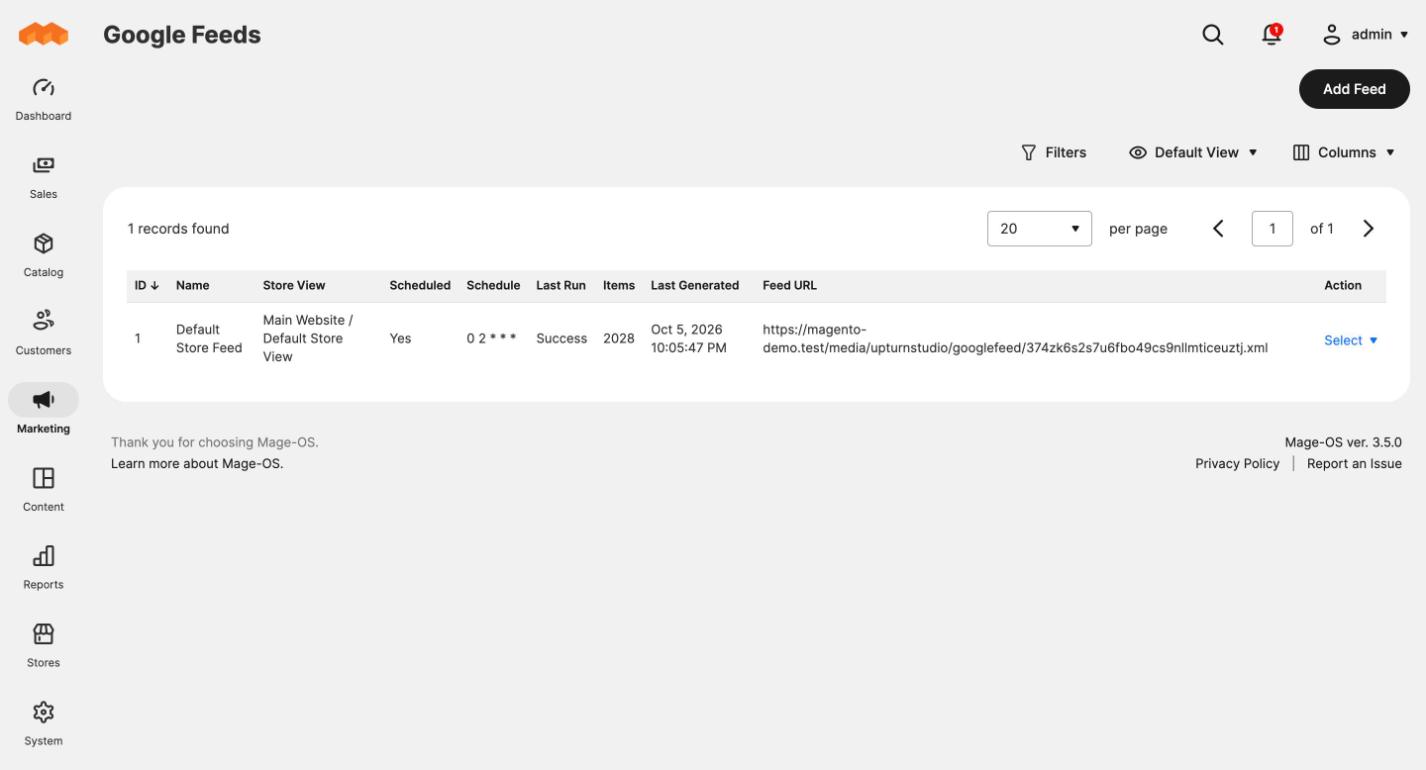
Go to Marketing → SEO & Search → Google Feeds, click Add Feed, name it and pick the store view. The mapping is filled in for you.
- 2
Generate it
Click Generate Now, or set a schedule. The file is swapped in only once it is complete.
- 3
Give Merchant Center the URL
Copy the Feed URL from the grid into Merchant Center as a scheduled fetch, an hour after your generation time.
- 4
Watch the orders
Orders from Google ad clicks now record the click and the product the shopper landed on, ready for ROI reporting.
Screenshots from a real store
Everything in the box
Feeds you can map
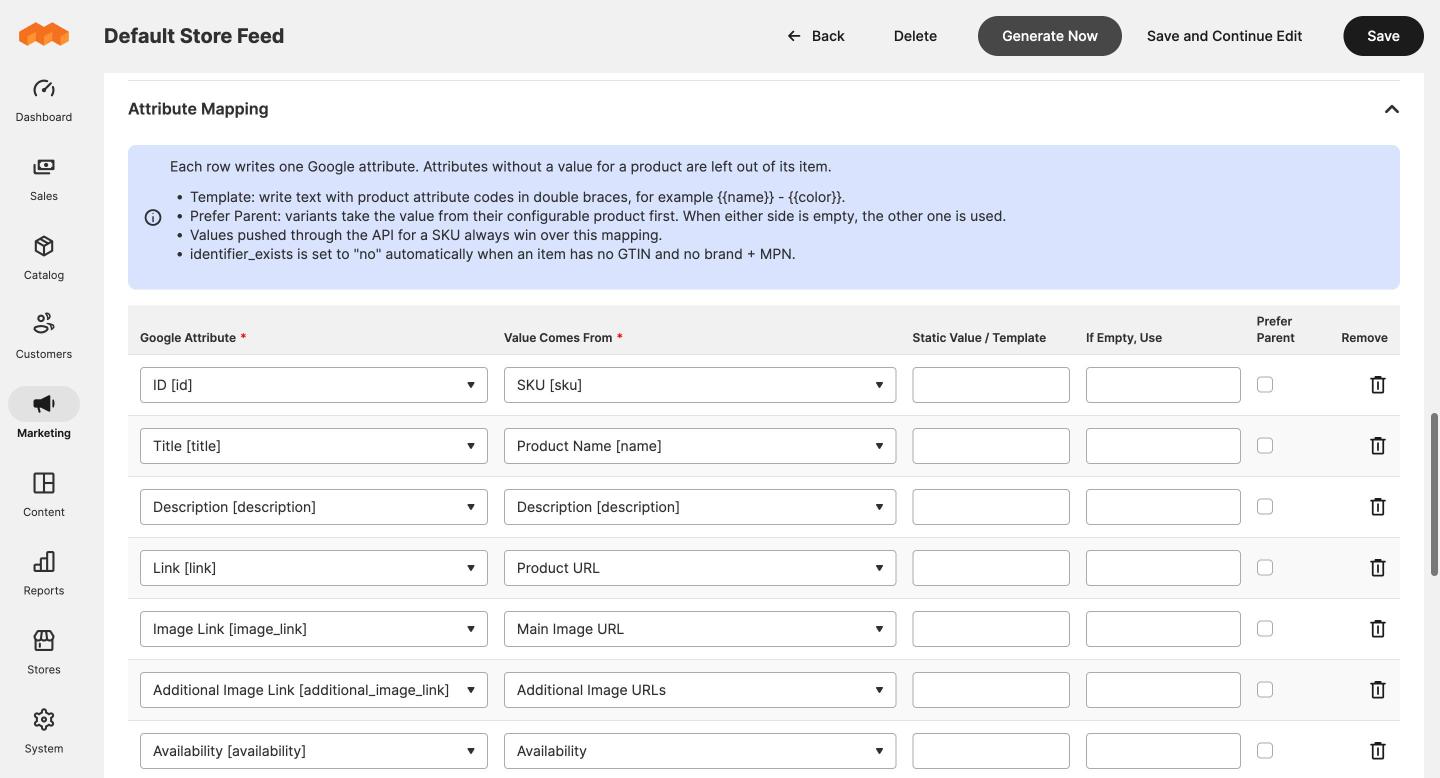
Map each Google attribute to a product attribute, fixed text, a template such as {{name}} - {{color}}, or a built-in value like price, availability or category path. New feeds start with a working mapping.
Variants done properly
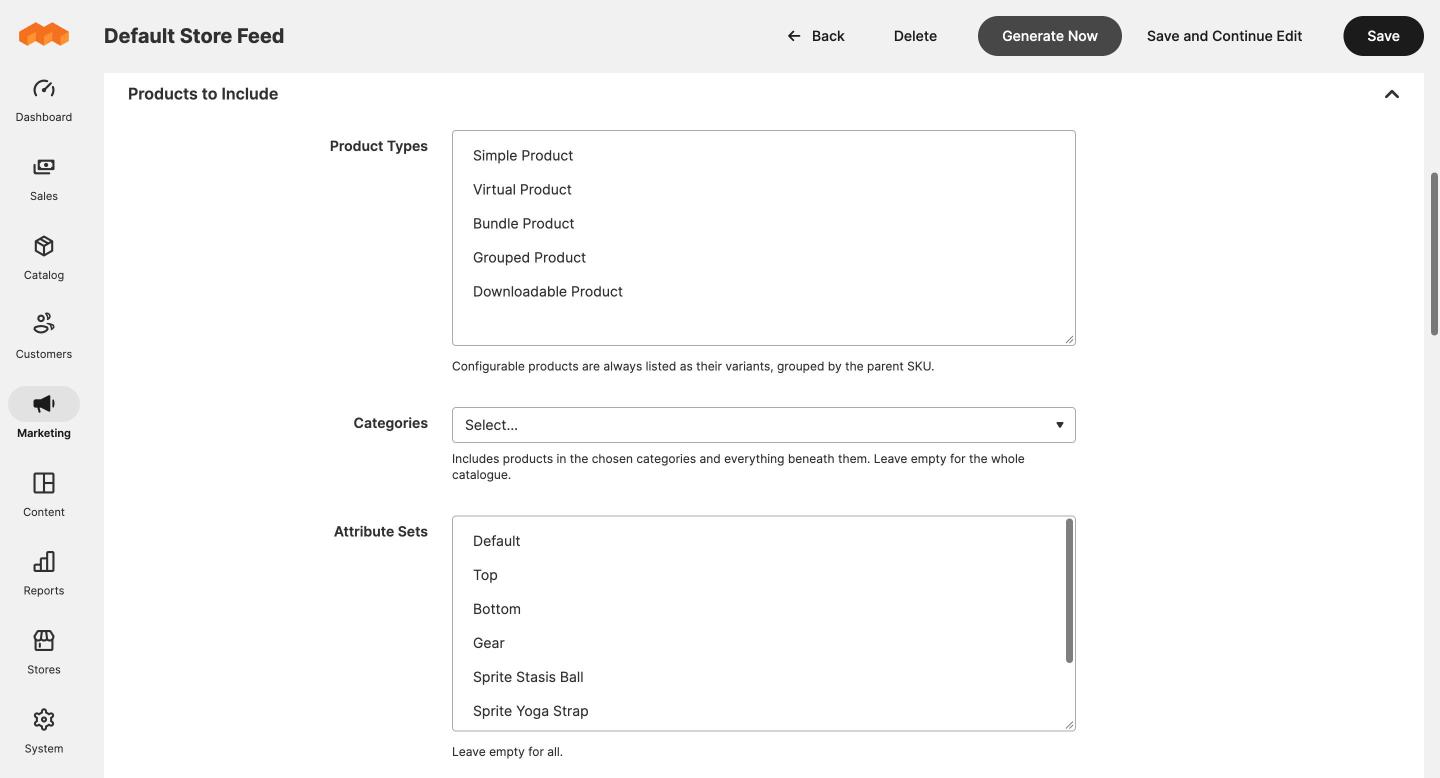
Configurable products are listed as their variants, grouped by the parent SKU. Brand, material and description can come from the parent while colour and size come from the variant.
Scheduled and safe
Generate on a cron schedule, with Generate Now, or from the command line. The new file only replaces the old one once it is complete, so Merchant Center never fetches half a feed.
Ad clicks on every order
When a shopper arrives from a Google ad, the click ID, landing page and landing SKU are recorded on the order they place. Respects Magento's cookie restriction mode.
Per-product overrides
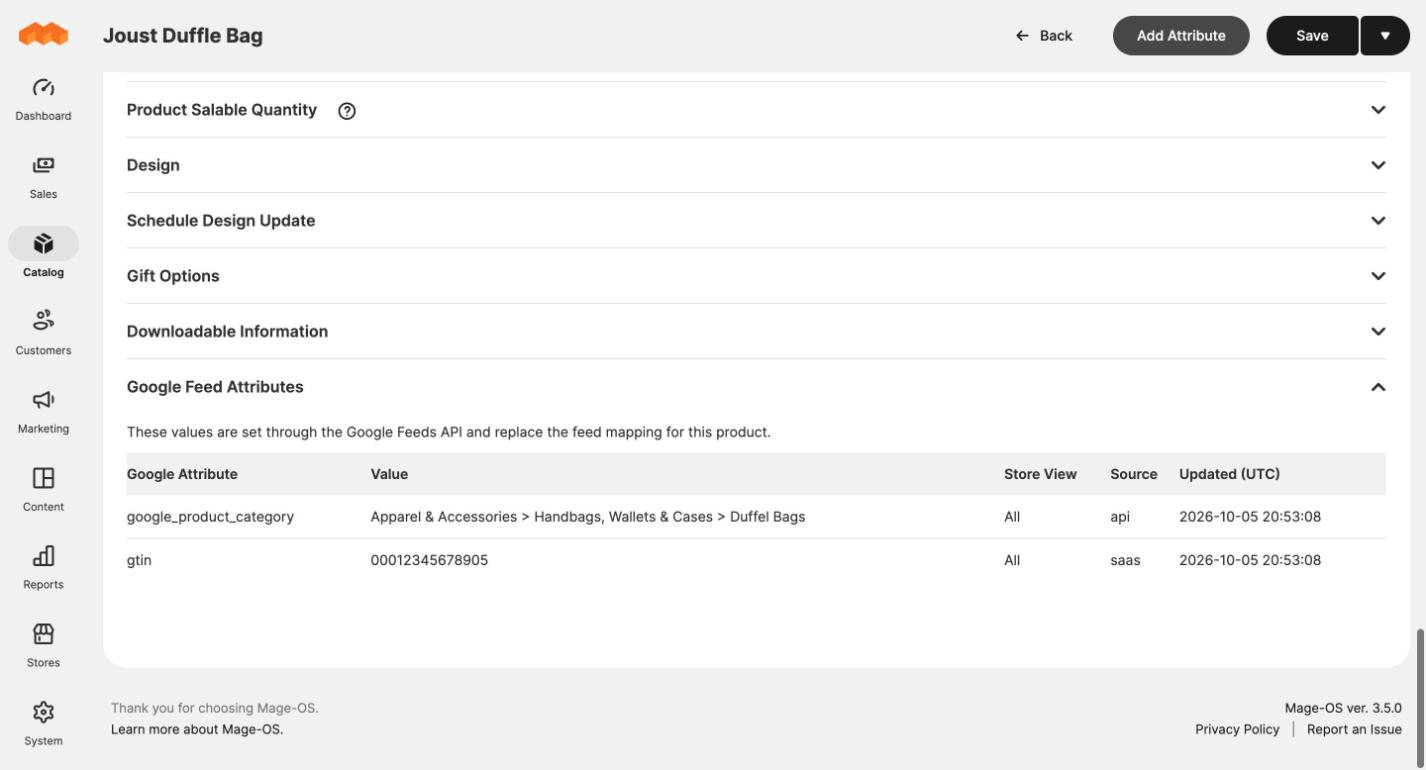
Set a better title, a Google category, a GTIN or a custom label for one SKU without touching your catalogue. Overrides win over the mapping and show on the product page.
AI connector and REST API
Claude, or any MCP client, can read feeds, preview a change on a product and apply it, through the Magento MCP Connector. Edit tools stay off until an admin switches them on.
Install it in a minute
Install it with Composer straight away, or create a free account for the full setup guide.
What you need
- Magento 2 or Mage-OS (tested on Mage-OS 3.5.0 with PHP 8.4)
- PHP 8.1 to 8.5
- Inventory Management (MSI) enabled
- Magento cron running
- The Magento MCP Connector module, installed with it by Composer
Known limitations
- There is no screen for matching store categories to Google's category list. Leave it to Google, use a static value or a product attribute, or set it per product.
- Ad clicks only connect to orders in the same browser. A click on a phone followed by an order on a laptop is not tied together.
- Orders placed by staff in the admin never pick up a click, and only orders placed after install carry click data.
- Prices are for shoppers who are not logged in. Customer group prices are not used.
- The module does not connect to Google Ads itself. Spend and ROI reporting per product comes with Upturn Lift on the Growth plan.